How to Log In & TroubleshootingUpdated a month ago
How to Log In to Your Account
Follow these steps to access your account 😊
Step 1
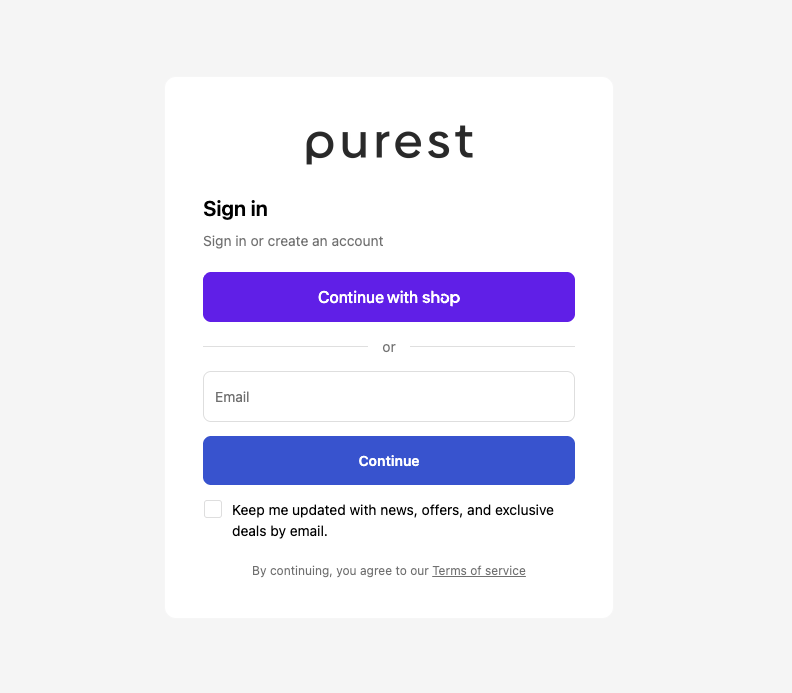
Go to the account login page.
Step 2
Enter your email address.
Step 3
Click “Continue”.
Step 4
Check your email inbox for the 6-digit verification code.
Step 5
Enter the code on the login page.
Step 6
You will automatically be logged into your account.
Troubleshooting Login Issues
I Didn’t Receive My Verification Code
If you do not receive the verification code:
- Check your spam or junk folder
- Ensure the correct email address was entered
- Wait a few minutes before requesting a new code
- Refresh your inbox
My Old Password Is Not Working
No worries 😊
Our updated login system no longer uses passwords.
Customers now log in using:
- Email address
- 6-digit verification code
Frequently Asked Questions
Why am I not receiving the verification code?
Please check your spam/junk folder and ensure the correct email address was entered.
Can I still use my old password?
No. Password login is no longer required.
Why can’t I see my orders or subscription?
This usually happens when customers log in using a different email address.
Please try logging in using the original email used during checkout or subscription signup.
What if I entered the wrong email address?
Please return to the login page and try again using the correct email address associated with your orders or subscriptions.
How long does the verification code take?
Usually, within a few minutes, depending on your email provider.
This format looks cleaner because it keeps all customer login concerns in one troubleshooting/FAQ section ✨
Still Need Help?
If you continue experiencing login issues, please contact our support team, and we’ll gladly assist 💛